Posture awareness. Powered by AirPods.
A little nudge.
A better habit.
Follow your penguin’s posture cues and get gentle reminders to adjust, using motion from compatible AirPods while you work or study.
Sign in to get started. One subscription across your devices; see pricing for rollout details.

Now on the Mac App Store
Your focus stays here.
Your posture comes with you.
Meet PostureSense for Mac. Connect your AirPods, calibrate your comfortable posture, and get back to work with live feedback and optional reminders.
macOS 14 or later
Compatible AirPods with motion data required.
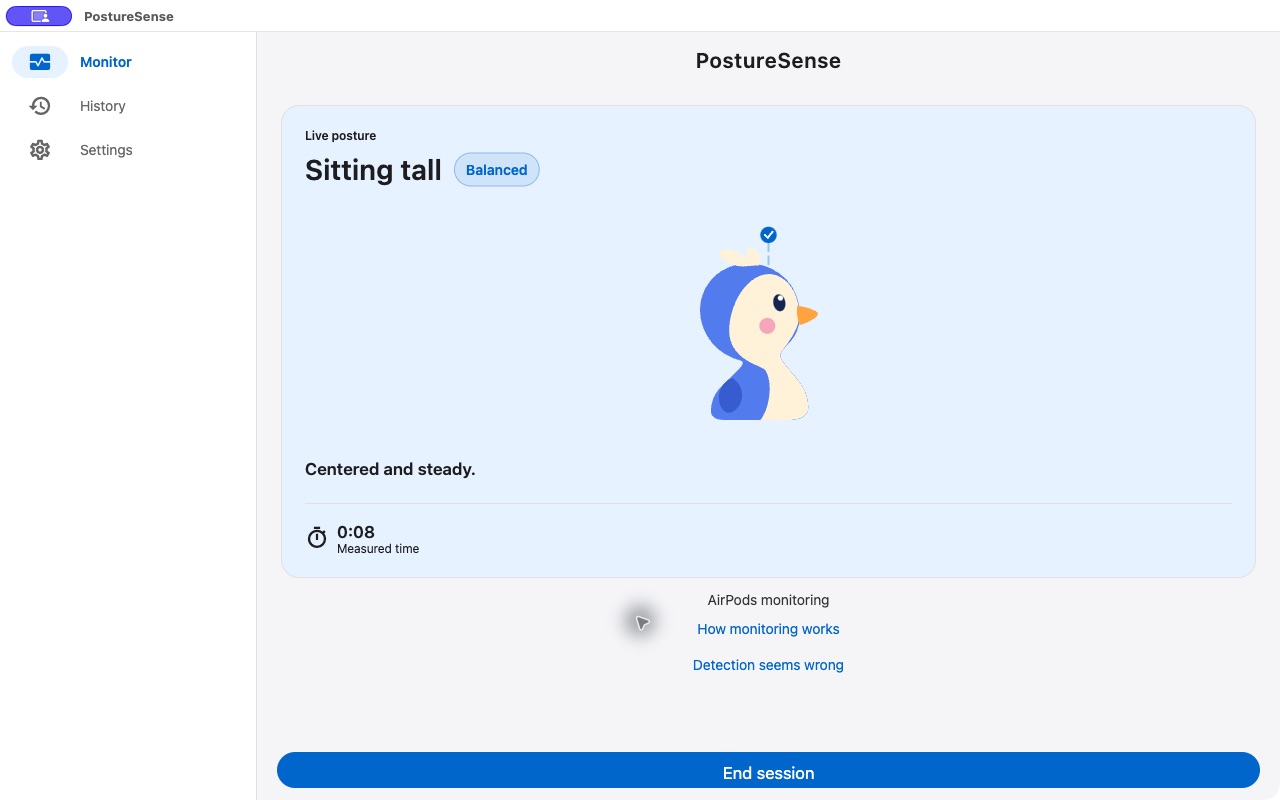
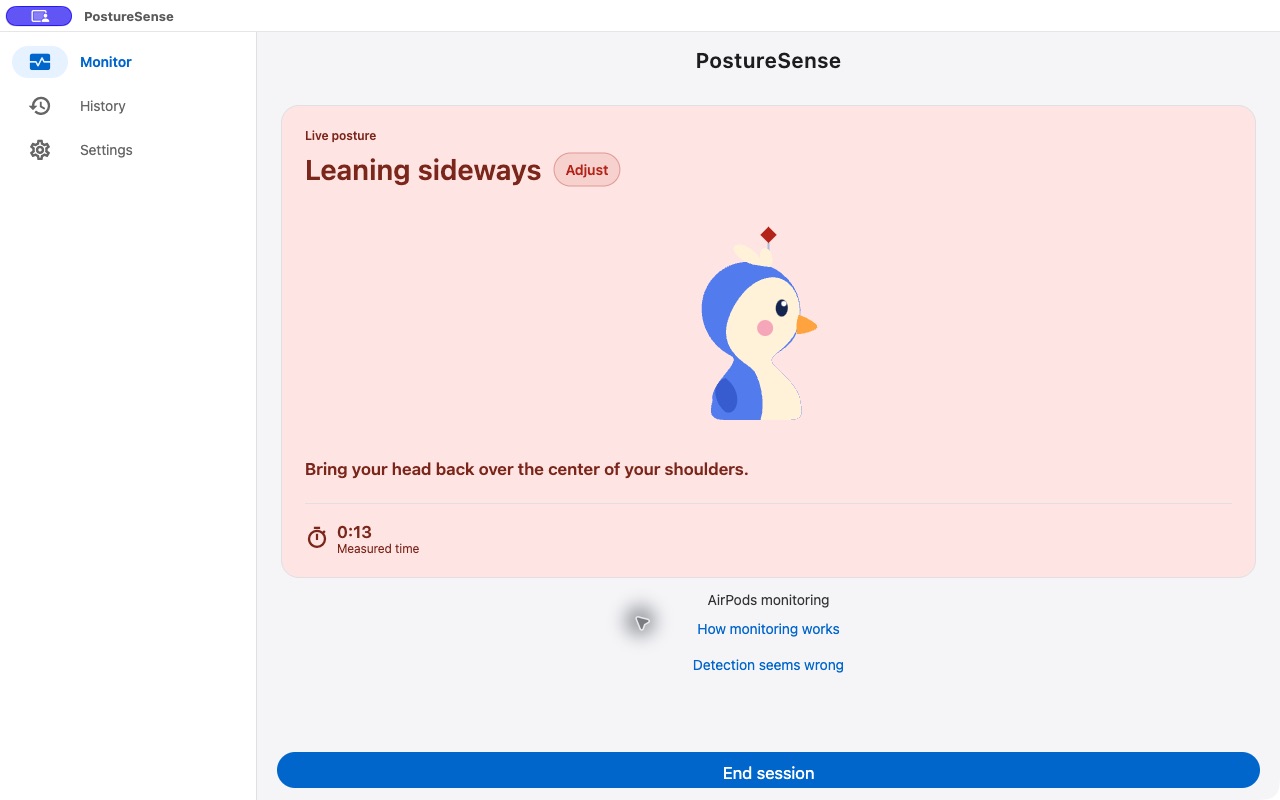
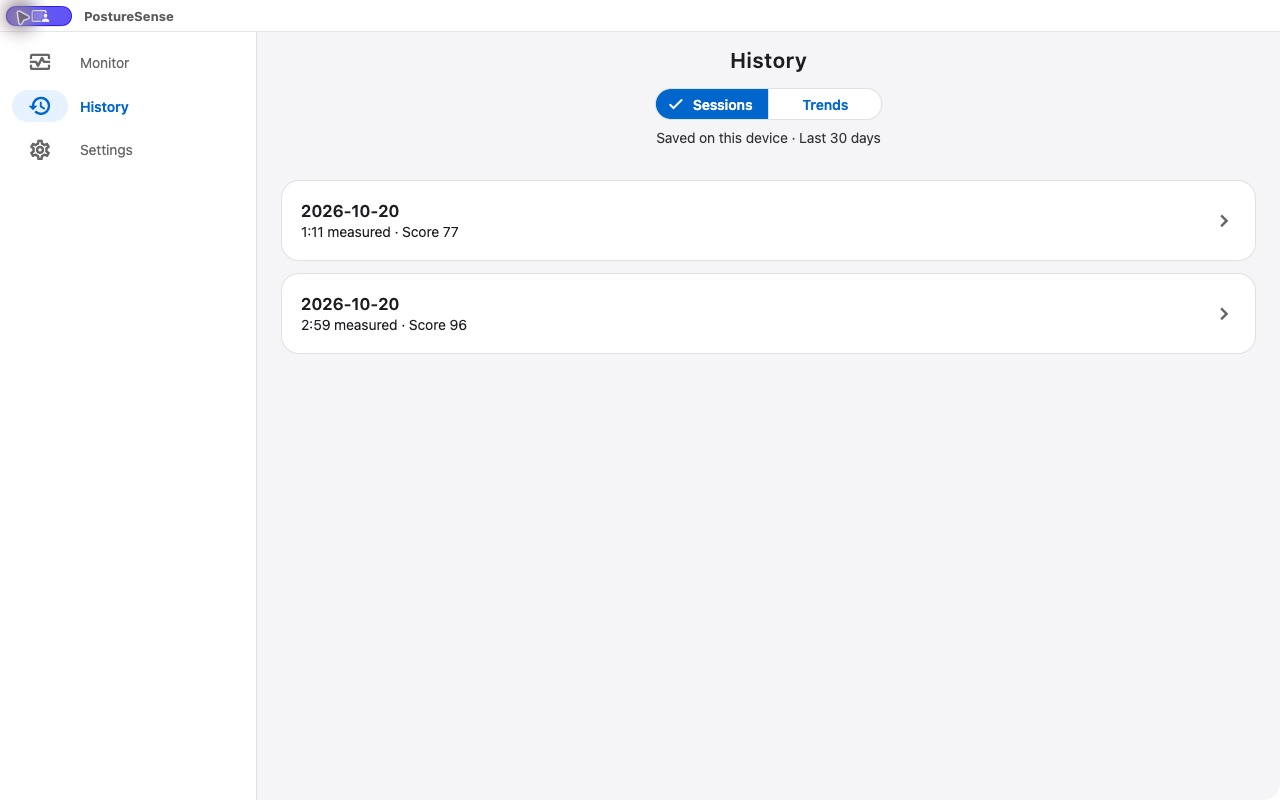
Actual Mac app screenshots. Motion access is required; notifications are optional. After your Mac sleeps, reconnect your AirPods and recalibrate before continuing.
Your AirPods. No extra tracker.
AirPods motion. No camera required.
Your baseline. Your pace.
A moment of awareness
Deep in your work.
Still in touch
with your posture.
Let your penguin do the checking in. Posture cues and reminders help you notice when your head drifts from your calibrated baseline.
See when you’re looking down or tilting sideways. Keep the app visible during your session, or choose background monitoring when your device supports it.
Explore live feedback
An easy place to start
Three steps.
Then back to your day.
- 01
Connect your AirPods.
Wear compatible AirPods and open PostureSense on your iPhone or iPad.
- 02
Find your neutral.
Sit comfortably, look forward, and calibrate your own baseline in five seconds.
- 03
Focus. Notice. Adjust.
Start a session. Get a nudge when you drift, and make a small adjustment when you’re ready.

Small sessions. A growing habit.
A little progress
you can look back on.
Your session history gives each check-in a place to land. Review time spent monitoring and posture summaries to see how your routine is taking shape.
Sign in to get started. Completed sessions are saved on the device where you record them. Return to History to look back at the last 30 days.
Explore session historyA reminder that fits your routine
Helpful nudges.
On your terms.
Choose how long to wait before a reminder and turn sound or vibration on or off. Send a test reminder to check what works for you.
Make it yours
What do I need?
An iPhone or iPad and compatible AirPods that provide motion data. Availability depends on your AirPods model, connection, device, and system software. The app checks motion readiness before you start.
Does PostureSense use my camera?
AirPods monitoring works without a camera. Camera Assist is an optional beta on iPhone and iPad for checking forward lean while its camera view is open. It stays off until you choose to try it and allow camera access. Video stays on your device and is not recorded.
Do I need an account?
Yes. Choose Sign in to continue on the welcome screen. Completed sessions are saved on the device where you record them and appear in History.
Can I adjust the reminders?
Yes. In Settings, use Remind me after to change the initial delay, turn Vibration or Sound on or off, and send a Test reminder. Delivery also depends on notification permissions, Silent mode, and Focus settings.
Is it a medical device?
No. PostureSense supports general posture awareness and habit tracking. It does not diagnose or treat medical conditions.

Make room for a better habit
Your next focus session.
A little more aware.
Put on your AirPods. Find your baseline. Take it from there.
Download on the App StoreOne subscription across your devices · Compatible AirPods required